























How to Buy and Sell ARM Tokens
Easy Option : The Arboreteum Widget
Advanced Option: Interacting Directly via the Contract
The Arboreteum Widget
The easiest way to access the Arboreteum (ARM) decentralized minting and bonding curve is with our widget on this website. This allows you to interact directly with the Arbitrum smart contract to acquire or sell your ARM utility tokens seamlessly through Metamask.
1. Connecting Your Wallet
- Desktop: Ensure you have the MetaMask extension installed and set to the Arbitrum One network. Clicking Connect MetaMask will prompt you to approve the connection.
- Mobile: If you are browsing on a mobile device, tapping the connect or action button will automatically launch the MetaMask app and open this site directly inside its built-in Web3 browser for a smooth experience and security.
2. Buying (Minting) ARM Tokens
- Switch to the BUY tab on the widget.
- Enter the desired amount of ARM tokens you wish to mint.
- The widget will automatically calculate and display the estimated ETH cost (including bonding curve pricing and applicable fees).
- Click Mint ARM Tokens and confirm the transaction inside your MetaMask wallet. Once confirmed on the Arbitrum network, your new tokens will be added to your balance.
3. Selling ARM Tokens
- Switch to the SELL tab on the widget.
- Your current ARM token balance will be displayed automatically.
- Enter the amount of ARM you want to sell back to the bonding curve. The estimated ETH return will update in real time.
- Click Sell ARM Tokens and confirm the transaction in MetaMask to receive ETH directly back to your wallet.
4. Contract Security & Copying Address
You can verify the smart contract at any time or import the token into your wallet by clicking the Copy Contract Address button at the bottom of the widget.
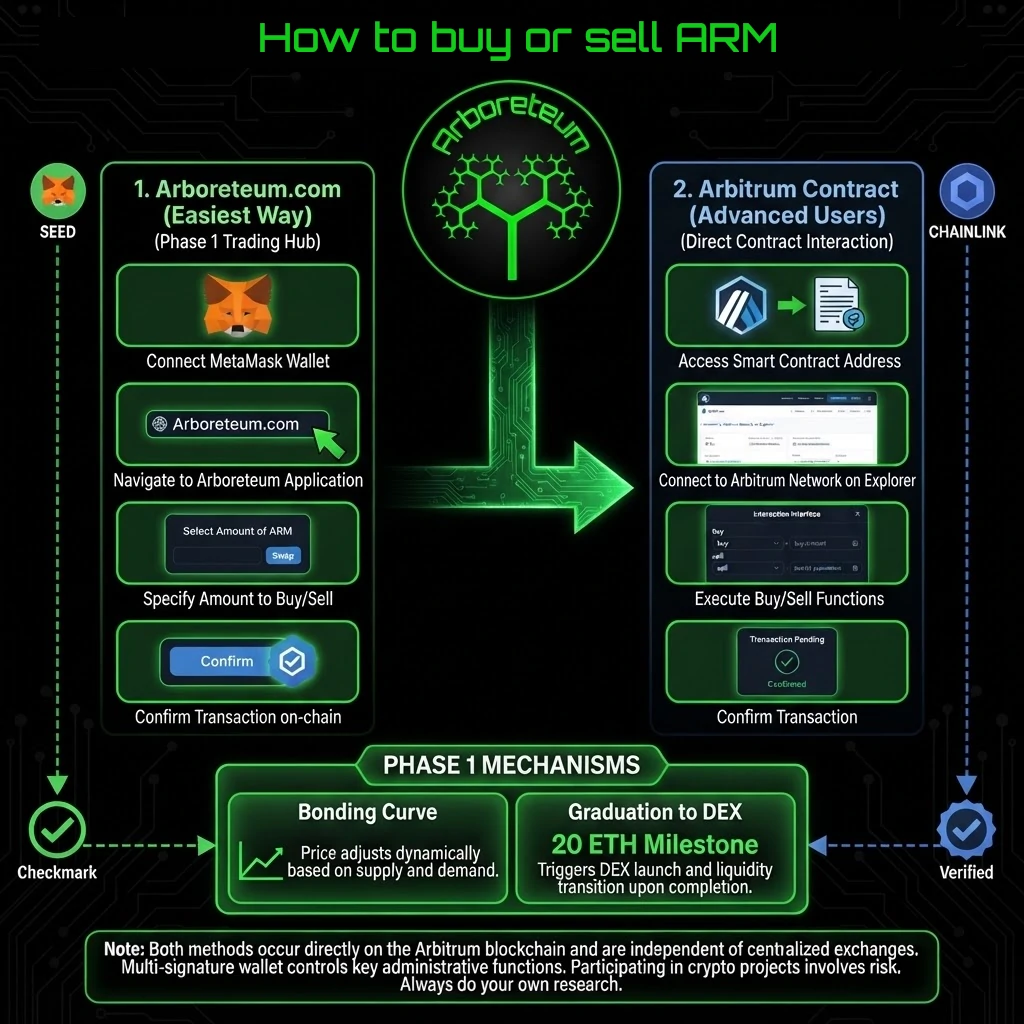
Advanced Option: Interacting Directly via the Contract
For advanced users, developers, or those preferring to bypass the web interface entirely, you can interact with the Arboreteum (ARM) smart contract directly.
1. Contract Details
- Network: Arbitrum One (Chain ID: 42161)
- Contract Address: 0x907a459F1F7Ad94F7C57EC4023A3e51b54dD1a08
- Verified Source: You can view and interact with the verified code directly on Arbiscan.
2. Direct Purchases via Web3 Wallets or Explorers
If you prefer to call the buy function directly from a developer environment (like Hardhat/Ethers.js) or via a block explorer's "Write Contract" tab:
- Calculate the Cost: Call getBuyCost(uint256 amount) with your desired token amount (in Wei, 18 decimals) to check the base cost in ETH.
- Account for Fees: Retrieve the current fee percentage using buyFee(), and calculate the total required ETH including the bonding curve fee.
- Execute the Transaction: Call the buy(uint256 amount, uint256 maxCost) payable function, passing your target token amount and a safe maxCost buffer (e.g., 5% higher to protect against front-running or price shifts), while attaching the exact ETH value as msg.value.